
Docker

 1. docker run --rm -it microsoft/dotnet:2-runtime 

Run linux container cmd. we get a command prompt for the container.


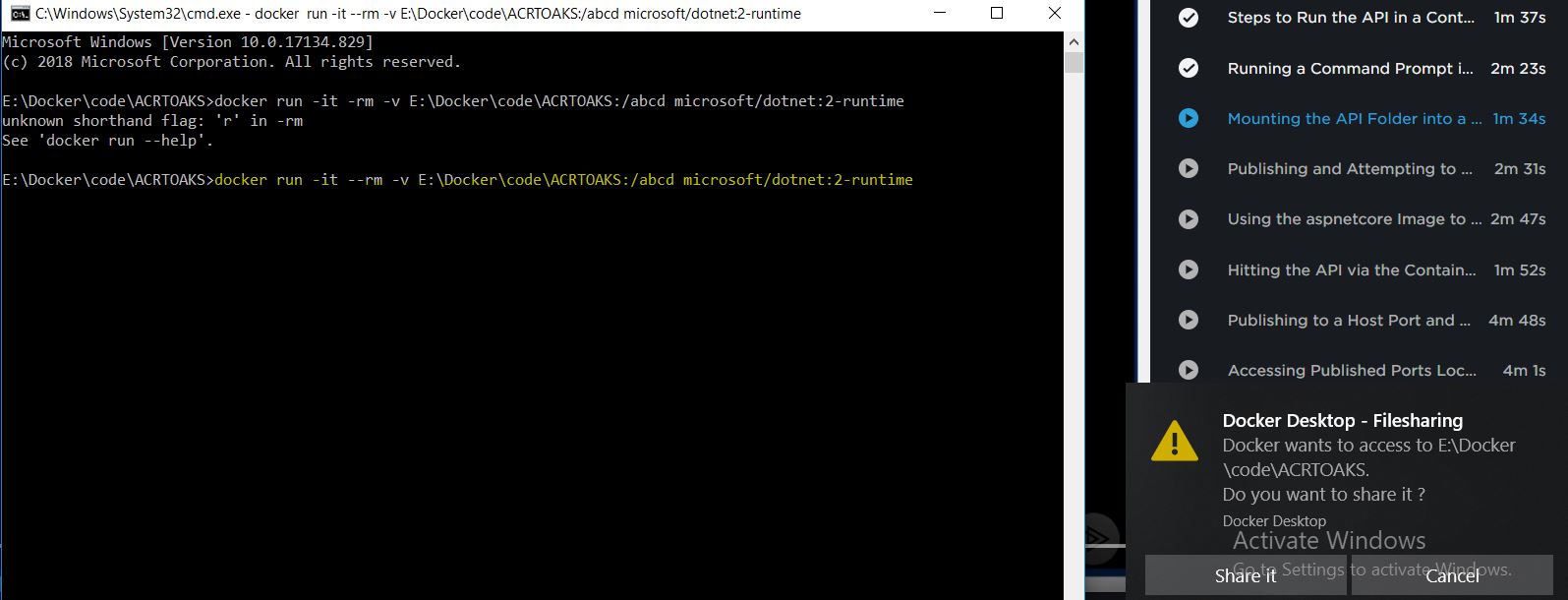
2. share a folder from host to container-- windows to linux

docker run -it --rm -v E:\Docker\code\ACRTOAKS:/abcd microsoft/dotnet:2-runtime

from E:\Docker\code\ACRTOAKS to /abcd inside the container


3. Get IP Address of the container

docker inspect containername

docker ps --list all running containers


Comments

Popular posts from this blog

Azure AD Authentication And Authorization

ROLE BASED AUTHORIZATION Step1:   Setup  API. 1. Create an app registration and create an app role. Make sure that the app role is assigned to user and applications. We add it to both user groups and applications as this role can be then assigned to both users and applications. Scopes can only be assigned to apps. Now we can have only users with this role access our application. This app role behind the scenes adds an approles section to the manifest.json. We can directly add it to the manifest file also. Step 2:  Setup an app registration for the UI/ WEB App. . We will grant this app the read role created in the API app (shown above). Go to Azure AD and select the UI app registration. When we register an application 2 elements get created. 1. App registration  2. Enterprise Application -- service principal that get created for the app Adding roles to applications Go to the App registration => API Persmissions => Add a Permission => My API's The My Api's sec...

Function APP and KV integration

 Create a function App and enable system assigned identity Create  a Keyvault and add a secret (Name in my case) Configure Access policies for the function app in keyvault Create an  access policy in Key Vault   for the application identity you created earlier. Enable the "Get" secret permission on this policy. Do not configure the "authorized application" or   applicationId   settings, as this is not compatible with a managed identity. https://docs.microsoft.com/en-us/azure/app-service/app-service-key-vault-references Key Vault references currently only support system-assigned managed identities. User-assigned identities cannot be used. We are granting our function app permissions to get and list all the secrets in this keyvault. Add Key Vault secrets reference in the Function App configuration Go to the keyvault and click on the secret we just created. Copy the secret identifier. We need to add this value to the function app configuration.  @Microsof...

AZ-500 AppService Inside VNet

The intent is to create an appservice that is available inside a VNET. So we will create a vnet and put an appservice inside it. This Vnet will have 2 subnets. One that has the appservice and another one that will have a VM.. We need to make sure that this Appservice can be accessed only inside the VM (inside the same VNET)  1. Create a Vnet Total Address space is 256.. We split into 2 subnets 2. Create an Appservice in standard or above tier as the lower tiers dont support networking.  and select the Vnet and select the sub2 subnet 3. Create a Virtual Machine inside sub1. 4. Go to Appservices and onto the networking tab and select Access Restrictions Create a rule and select VNET and subnet that we created earlier. We can also specify IP Address. Then this appservice can be accessed by the specified IP's only. So this appservice can only be accessed within subnet 1. Which is where we have deployed the VM.. From Internet Inside VM (Subnet 1)